Proton Drive is the cloud storage arm of the Proton ecosystem, built by the team that became famous for ProtonMail and that quietly turned end-to-end encryption into a household expectation. The promise is simple but bold: store any file, back up every photo, and share with total confidence, knowing that only you and the people you choose can access your data, not even Proton. We spun up a Proton account, dropped some real files into it, and spent a few days using Drive as a day-to-day Google Drive replacement to see whether the privacy story holds up in practice. 🔒
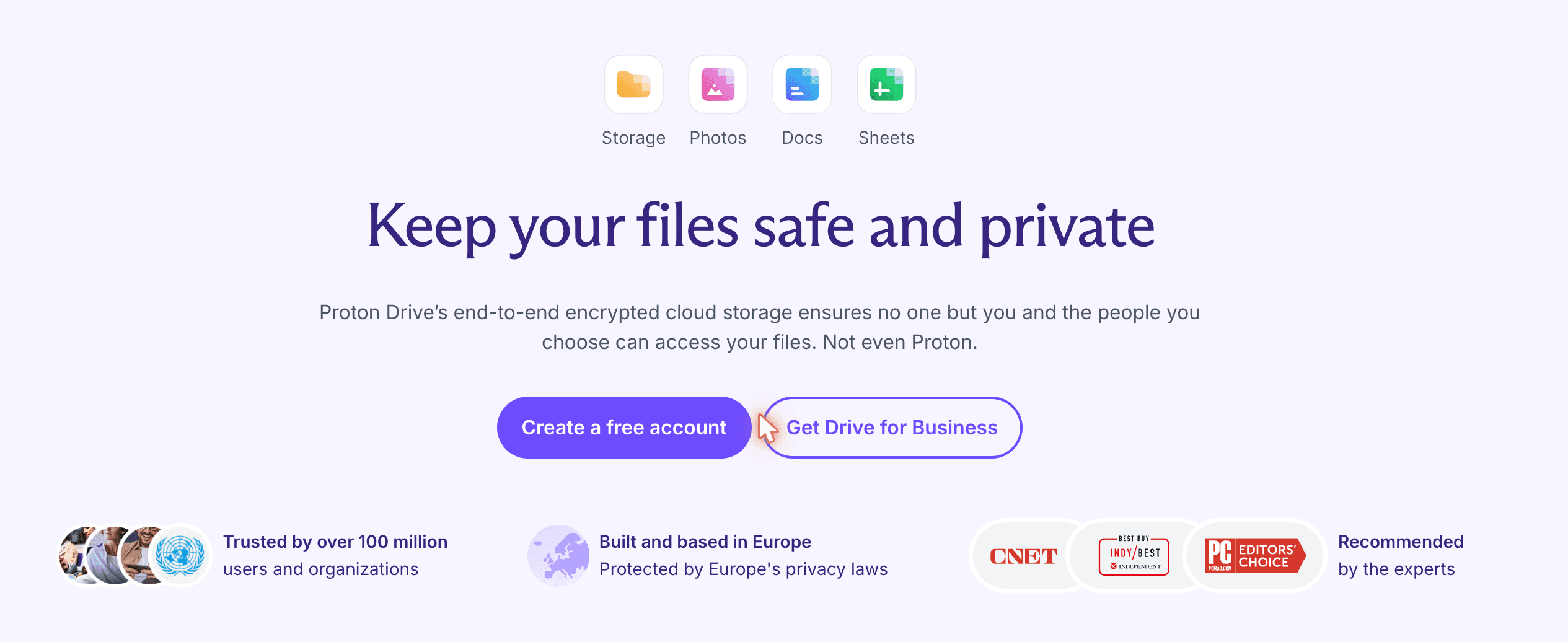
Proton Drive's marketing page leans hard on the privacy angle, and the product backs it up
What immediately sets Proton apart is that they're not retrofitting encryption onto an existing product. The whole stack (Mail, Calendar, VPN, Pass, Drive, and now Docs and Sheets) was built encryption-first, hosted in Switzerland, and protected by some of the strongest privacy laws in the world. For anyone who has watched the slow erosion of trust around mainstream cloud providers (and that's more true than ever with the security threats caused by AI), that's a strong starting point.
Let's dig into what Proton Drive actually feels like to use 🚀!
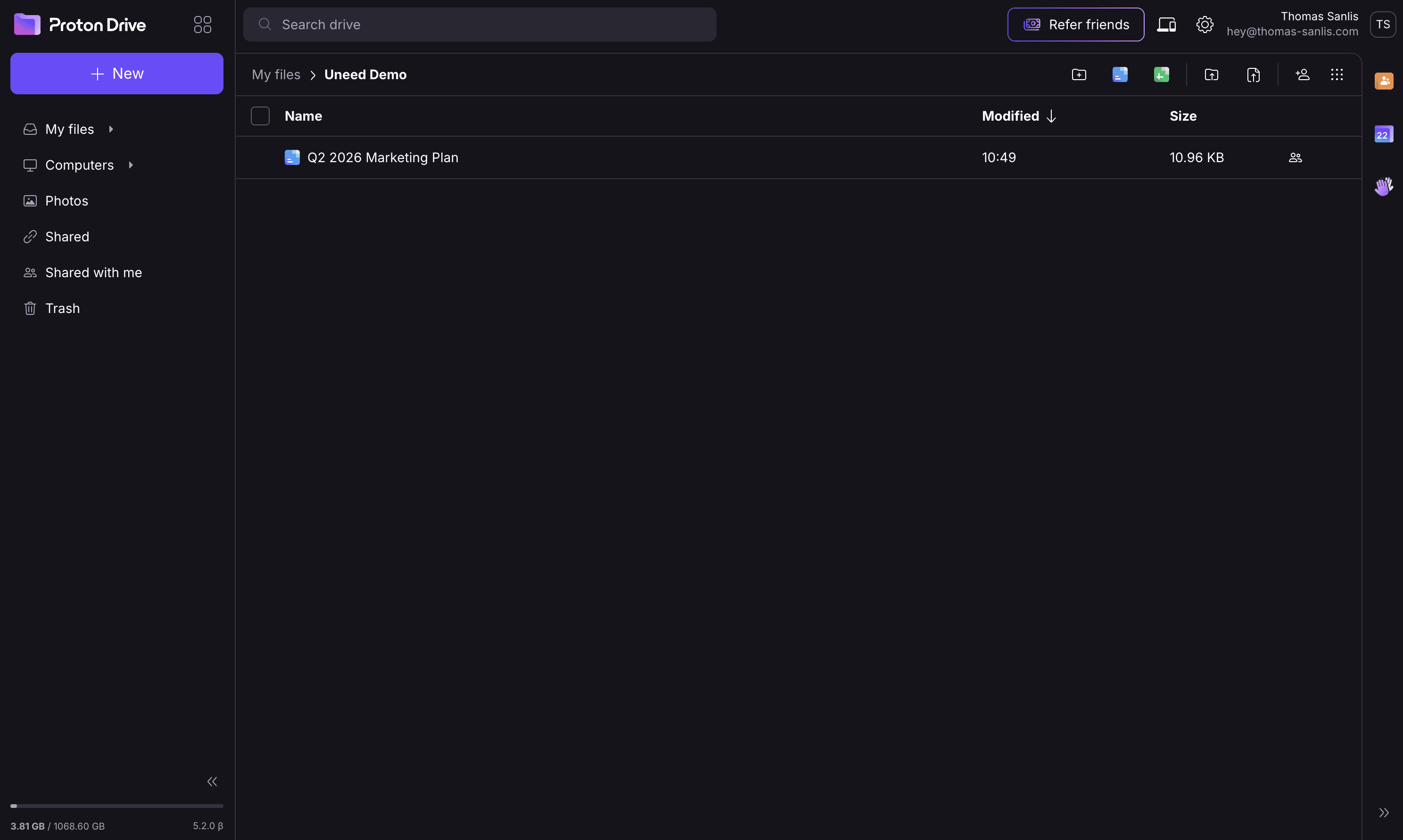
Signing into Proton Drive feels reassuringly familiar. The sidebar holds the usual suspects (My files, Computers, Photos, Shared, Shared with me, Trash) and the file listing in the middle behaves exactly like every cloud drive you've ever used. There's no learning curve, which is precisely the point. Privacy shouldn't require a degree.
Quick note: I've created a folder called "Uneed Demo" for this review 😊
The Drive interface, clean, dark-mode friendly, and indistinguishable from any mainstream cloud drive at first glance
What's different is happening underneath. Every file you drop into Drive is encrypted on your device before it ever touches Proton's servers. The encryption keys are derived from your account password and never leave your control, which means the company hosting your data is also unable to read it. That property is what end-to-end encryption actually means, and it's the one detail that separates Drive from almost every competitor in the space. 💪
The "+ New" menu covers everything you'd expect: upload file, upload folder, create a new folder, plus native Proton documents and spreadsheets. We created a fresh "Uneed Demo" folder in seconds and started populating it.
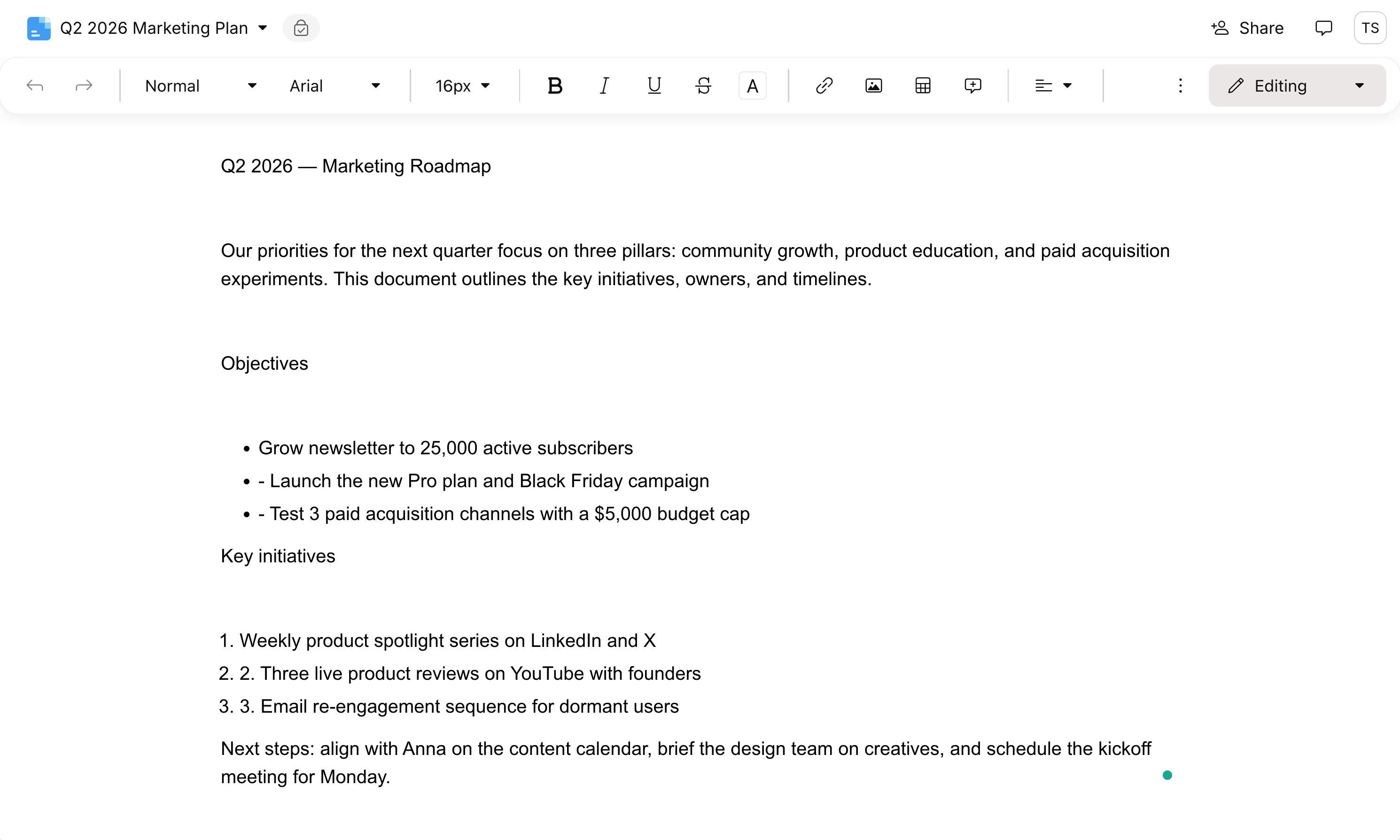
Here's where things get genuinely interesting. Proton Docs is Proton's answer to Google Docs, and it ships with the same end-to-end encryption guarantee as the rest of the suite. We created a new document inside our demo folder and immediately noticed the small but reassuring badge in the title bar: End-to-end encrypted.
A fresh Proton Doc with the end-to-end encryption badge front and center, collaboration without the surveillance
The editor itself is fast, modern, and super clean. You get the usual toolbar (headings, bold/italic/underline, etc) without feeling overbuilt. Documents auto-save in real time (the "Saving…" indicator briefly replaces the encryption badge), and the experience is smooth enough that we forgot we were testing it. We typed up a Q2 marketing roadmap (it's fake!!), complete with objectives and a numbered list of initiatives, and the doc just worked.
For teams that have been holding out on collaborative documents because they don't want their drafts scanned for training data or surfaced in some unrelated ad pipeline, Proton Docs is a serious option. Sheets, the spreadsheet equivalent, is available in the same menu and follows the same encryption model. ✨
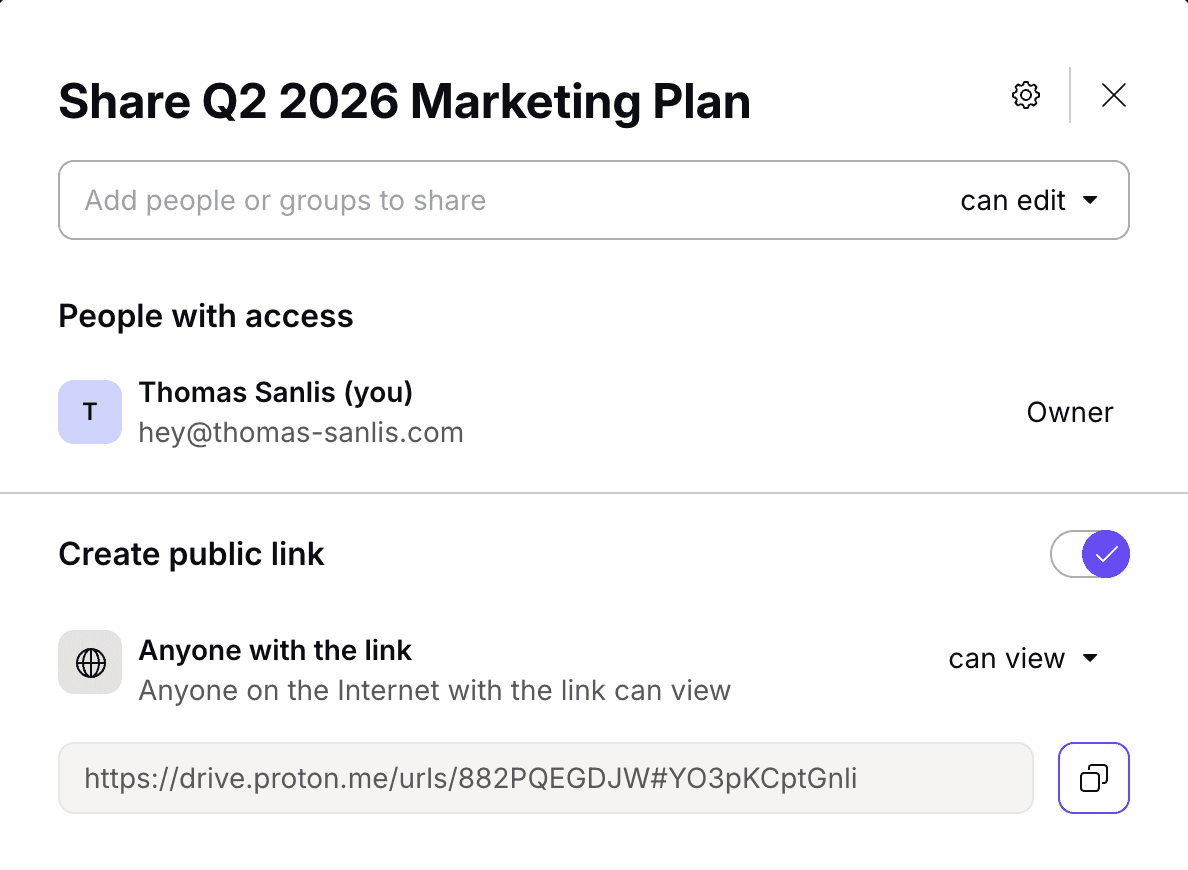
Sharing is where most "secure" cloud services quietly fall apart. The moment you generate a public link, your file is one URL leak away from being on the open internet. Proton's approach is much more thoughtful.
The share modal lets you invite people by email, or generate a public link with strict controls
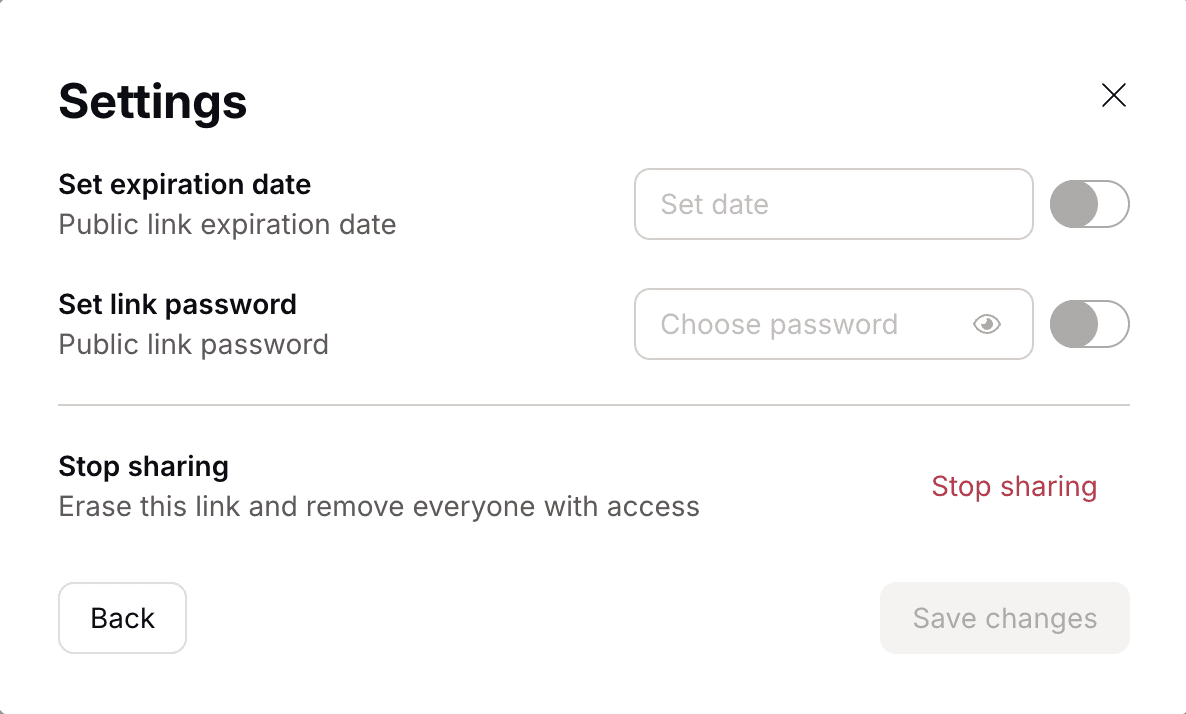
Inviting specific people works exactly as you'd expect: type an email, choose "can edit" or "can view", and the invitee gets access tied to their Proton account. Where Drive really shines, though, is the public link controls. Flip the "Create public link" toggle and you get a shareable URL. Then tap the settings icon next to it and the real privacy features appear.
The settings any cloud drive should ship with by default: link expiration dates and password protection
Two toggles, both simple, both crucial:
🔒 Set link password: protect the shared file with a password that the recipient must enter to view it. The password is never sent to Proton's servers, which means even if the link leaks, the file stays sealed.
⏱️ Set expiration date: automatically kill the link after a chosen date. No more decade-old "anyone with the link" URLs floating around inboxes.
And if you ever want to revoke access, "Stop sharing" wipes the link and removes everyone with access in one click. This is the kind of UX that turns a security feature into something people actually use. 💡
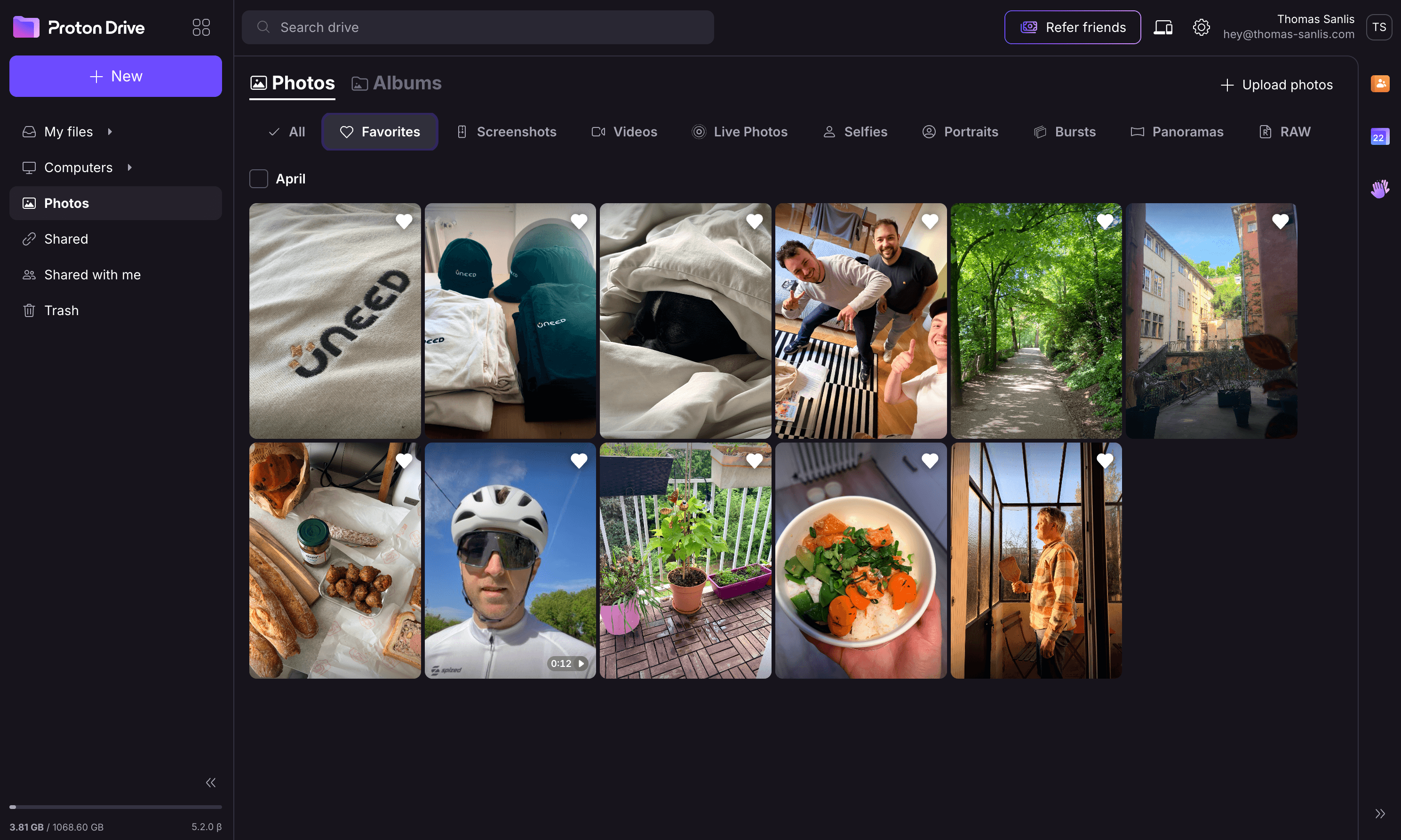
Open the Photos section and you land on a familiar grid, but every image is encrypted client-side before it leaves your device. Proton Drive's mobile apps (iOS and Android) handle automatic photo backup, with smart categories that should feel immediately recognizable to anyone coming from Apple Photos or Google Photos.
As you can see, I've been a user of Proton Drive for a while now 🤩
Proton Photos with categories for Screenshots, Videos, Live Photos, Selfies, Portraits, Bursts, Panoramas, and RAW
The filter bar covers exactly the kind of granular browsing you'd want from a phone backup: All, Favorites, Screenshots, Videos, Live Photos, Selfies, Portraits, Bursts, Panoramas, RAW. And because the photos are encrypted, Proton genuinely cannot see them, which means there's no facial recognition pipeline, no AI training on your family pictures, no advertiser fingerprinting from the metadata. For anyone uncomfortable with how mainstream photo services have evolved, this is a meaningful alternative. 📸
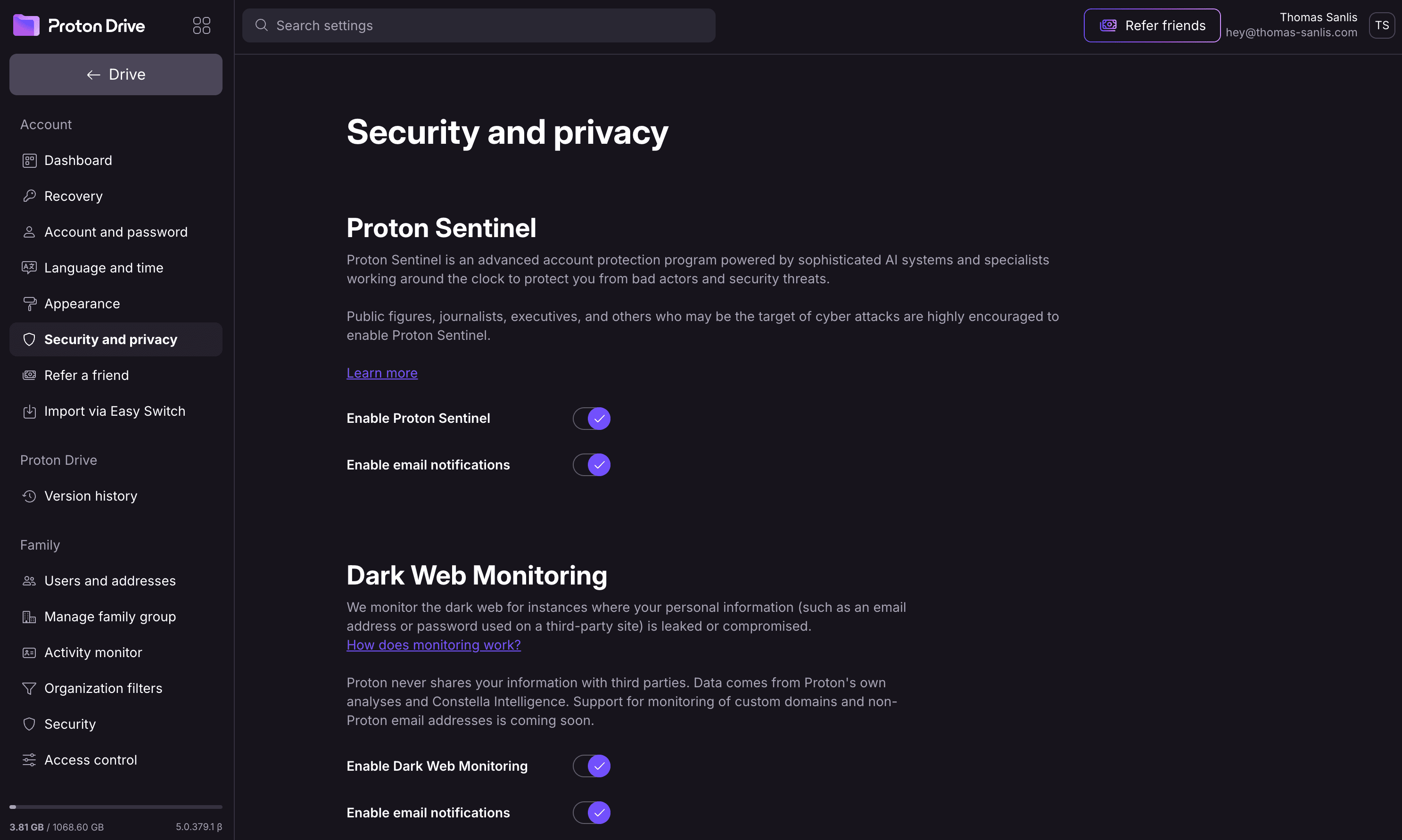
Drive doesn't exist in isolation. It sits inside the broader Proton account, and the security tooling at that layer is genuinely impressive. The Proton account settings expose features that most cloud providers don't offer at any tier.
Proton Sentinel and Dark Web Monitoring, security features that go well beyond what most cloud drives ship with
A few highlights from the security panel:
🛡️ Proton Sentinel: an advanced account protection program for users who may be targeted, like journalists, executives, activists, public figures. It combines AI-driven anomaly detection with human specialists who watch for compromise attempts.
🔍 Dark Web Monitoring: continuously scans for instances of your email address or passwords appearing in known leaks, and alerts you so you can rotate credentials before the breach is exploited.
🔐 Recovery and 2FA: robust recovery options (recovery file, recovery phrase, secondary email) and two-factor authentication with TOTP or hardware keys.
📜 Version history: every file change is retained so you can roll back accidental edits or deletions.
This is the kind of layered defense you'd normally expect from an enterprise IT department, not from a consumer cloud product. 💎
Proton Drive isn't just a browser tab. There are native desktop clients for macOS and Windows that sync a chosen folder to your computer, and the "Computers" sidebar entry surfaces every machine connected to your account. The mobile apps (iOS and Android) handle on-the-go uploads and automatic photo backup. Everything stays end-to-end encrypted regardless of which client touches the file, and the keys are derived consistently from your account password.
The desktop sync experience is what finally makes Drive feel like a true drop-in replacement for the cloud services you might be considering leaving. Drag a file into the synced folder, and it's encrypted and uploaded in the background. ⚡
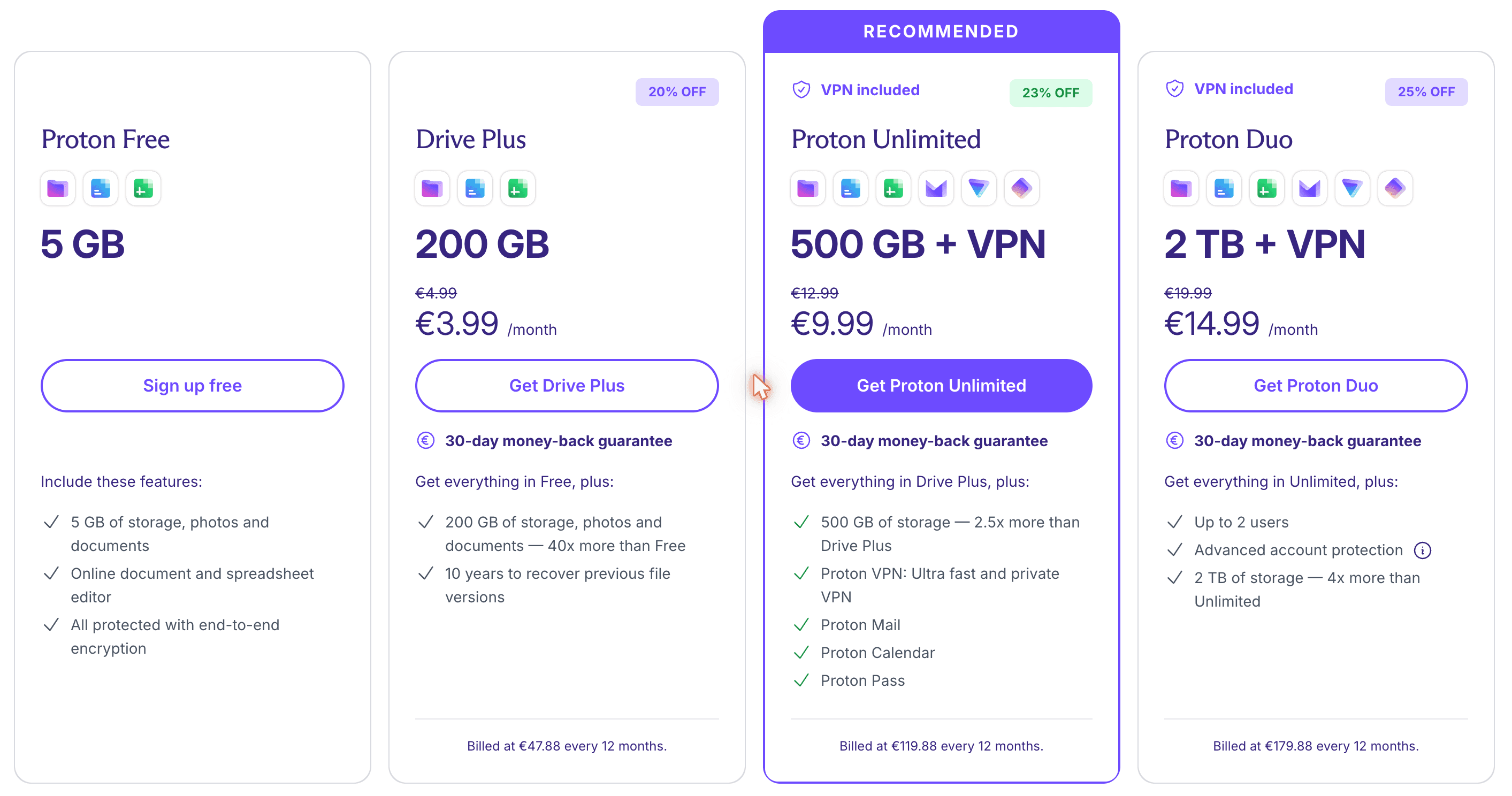
Proton has always priced its products to be reachable, and Drive is no exception. The free tier gets you started with 5 GB at zero cost (enough for a real test rather than a teaser), and the paid plans scale up cleanly.
Drive plans, with Proton Unlimited bundling Drive, Mail, Calendar, VPN, and Pass into one subscription
📦 Drive Plus: 200 GB for €3.99/month (yearly billing), enough for most individual users
⭐ Proton Unlimited: 500 GB plus Mail, Calendar, VPN, and Pass for €9.99/month, the best value for anyone moving their whole digital life
👨👩👧 Proton Duo: 2 TB plus everything in Unlimited for two people at €14.99/month
There are also business plans for teams that need shared admin controls, custom domains, and centralized billing. Every paid plan ships with the same encryption guarantees as the free tier. Privacy isn't a premium upsell here, it's the default. 💰
A few quick observations from our test, both positive and constructive:
What we loved:
🔐 Genuinely end-to-end encrypted, including documents, photos, and shared links, with the math to back it up
🇨🇭 Built and based in Switzerland, strong privacy laws, no Five Eyes or Fourteen Eyes membership
🎯 Familiar UX, the learning curve is essentially zero if you've used any cloud drive before
🔗 Sharing controls that actually matter, link passwords and expirations should be table stakes everywhere
📸 Photos with categories, feels like a credible iCloud or Google Photos alternative
🛡️ Layered account security, Sentinel, Dark Web Monitoring, robust 2FA out of the box
💎 Bundled value, Proton Unlimited gives you the whole privacy stack for the price of a single competitor service
Where there's still room to grow:
⚙️ Search inside encrypted content is naturally more limited than on services that index everything in plaintext. It's an inherent tradeoff of E2EE, but Proton continues to improve client-side indexing.
🤝 Real-time co-editing in Docs works well (we tried it with a friend), but the broader collaborative ecosystem (templates, third-party plugins, deep integrations) is younger than what Google Workspace offers.
📊 Sheets feature parity with the most advanced Excel or Google Sheets use cases is still catching up. For power users this may matter, for most teams it won't.
None of these are dealbreakers, and Proton has shipped consistently quickly since Drive launched. 🚀
Proton Drive is the cloud storage you choose when you've decided you actually want your files to be yours. The encryption model is real, the UX is genuinely familiar, the sharing controls are the kind of feature most providers should have shipped years ago, and the surrounding ecosystem (Mail, Calendar, VPN, Pass, Docs, Sheets) quietly makes it one of the strongest privacy bundles you can buy.
For founders, journalists, designers, indie hackers, and anyone with sensitive client work, this is an easy recommendation. For everyone else, it's a chance to opt out of the surveillance economy without giving up anything you actually use day-to-day.
And that wraps up our Proton Drive review. If you've been looking for an end-to-end encrypted cloud storage that doesn't ask you to choose between privacy and usability, this is the one to try. ✨
Context.dev Review - One API for Scraping, Logos & Brand Data
We've tested Context.dev, a unified Scraping API, Logo API and Brand API that turns any domain into structured, AI-ready data. Markdown crawling for LLMs and RAG, a Clearbit-style Logo Link, and a full Brand API to personalize SaaS onboarding.
Reviews
Atoms Review - Full-Stack Vibe Coding for Founders
We've tested Atoms, a vibe coding tool that goes beyond AI coding copilots with a multi-agent workflow, full-stack app generation, Atoms Cloud hosting, and launch-oriented tooling for founders.
Reviews
Rowform Review - Free Typeform Alternative
We've tested Rowform, a conversational AI form builder with unlimited forms, questions, and responses on the free plan, plus logic jumps, webhooks, 500+ templates, and strong automation features.
Reviews
Veille Review - Stop Fraud Before It Hits Your App
We've tested Veille, a fraud detection API that validates emails, domains, IPs and more in under 50ms